How to build a customer database for a small business
What a customer database is, the four fields worth collecting, how to fill it at the counter, the consent rules for UK and US shops, and how to keep it clean.
On this page
- What a customer database is, and what it is not
- What to collect, and what to leave out
- Why your till does not already have one
- How to build a customer database at the counter
- 1. Give people a reason to join
- 2. Make joining take one scan
- 3. Give staff one sentence
- 4. Ask for permission as its own choice
- 5. Record every visit from then on
- The consent rules for messaging your list
- In the UK
- In the US
- How to keep the list clean
- What to do with the list in the first month
- Spreadsheet, CRM, or loyalty program?
- Where Passumo fits
- Frequently asked questions
- Where to go next
A customer database is a list of the people who buy from you, with a way to reach each one and a record of when they visit. For a café, a salon, or a pub, it does not need to be software with “CRM” in the name. It needs four things per person: a name, an email or phone number, their permission to hear from you, and their visit history.
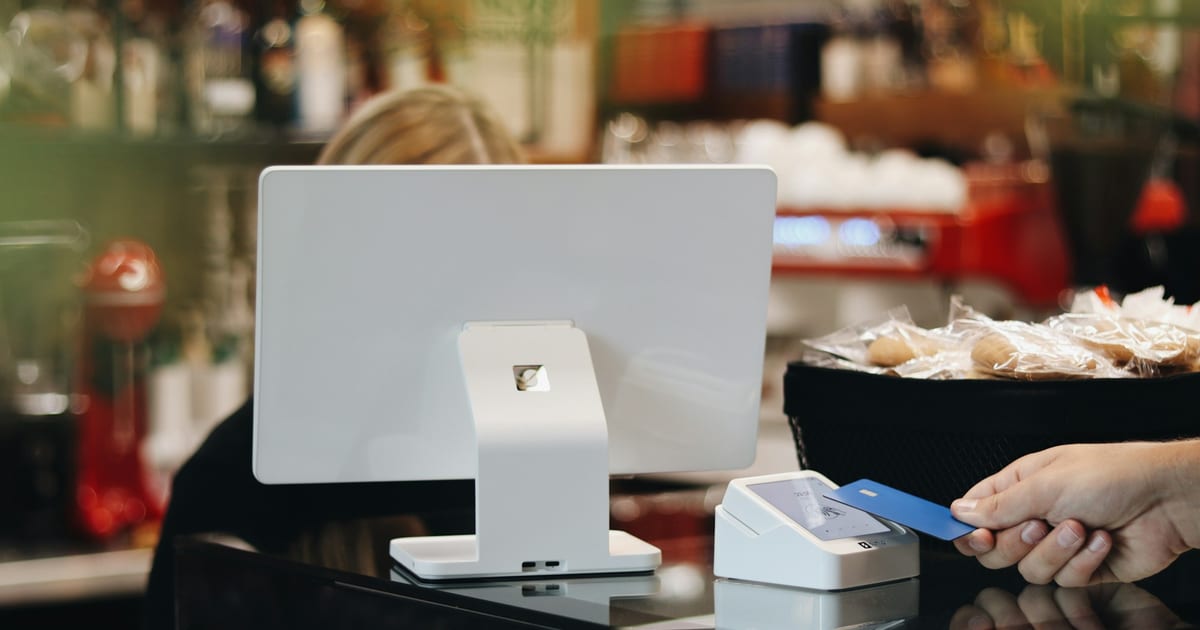
Most shops do not have one, even after years in business. A card payment tells you that someone paid £4.20 at 8:12. It does not tell you who they were or how to reach them next week. The way to build a customer list is at the counter, by giving people a reason to tell you who they are, asking for very little, and recording every visit after that.
This guide covers what to collect, how to collect it, the consent rules in the UK and the US, and what to do with the list once you have it.
Key takeaways
- A useful small business customer database holds four things per person: a name, one way to reach them, their permission, and their visits. Anything more should earn its place.
- The till rarely builds it for you. A card payment identifies a bank card, not a customer.
- People give their details when they get something back. A loyalty card is the most natural reason a local shop can offer.
- Permission is part of the record. In the UK, and for texts in the US, how you collected a contact decides whether you can market to it.
- A list you never message decays. Plan your first few messages before you collect the first name.
What a customer database is, and what it is not
A customer database is the record that lets you recognize a returning customer and reach them after they leave. It answers three questions: who comes in, how often, and how you can get in touch.
It is not a mailing list bought from somewhere else, and it is not your Instagram followers. Followers belong to the platform, which decides who sees your posts. A customer list is yours: the people on it chose to hear from you, and you choose when to write.
It is also not the same as your customer data in the wider sense. Your till holds transaction data, your booking system may hold appointments, and your reviews hold opinions. The database is the part that ties those to a person you can contact.
What to collect, and what to leave out
Collect the minimum that lets you do something useful. That is good practice for sign-up rates, and in the UK it is the law. The Information Commissioner’s Office says personal data must be “adequate, relevant and limited to what is necessary,” and that “you should identify the minimum amount of personal data you need to fulfil your purpose” (ICO, Principle (c): Data minimisation, accessed November 2026).
| Field | Why you want it | Ask for it? |
|---|---|---|
| First name | So a message sounds like it came from you, not a system | Yes |
| Monthly news, events, longer messages | Yes, or phone | |
| Phone number for texts | Texts that matter: appointment reminders, win-backs | Only if you will send texts |
| Birthday | A birthday treat, one of the most welcome messages a shop can send | Optional, and only if you will use it |
| Visit history | Tells regulars from one-off visitors, and shows who is drifting | Record it automatically, never ask |
| Marketing permission | Decides who you are allowed to message | Yes, as its own clear choice |
Leave out the rest. A postal address, a gender, a job title, or “how did you hear about us” each cost you sign-ups and give you nothing you will act on. If you cannot name the message a field will change, do not ask for it.
Why your till does not already have one
Most owners assume the payment system holds their customer list. It usually holds a list of transactions. A tapped card shows the last four digits and an amount, and the same customer paying with a phone next time can look like a different person. Some tills keep the email from a digital receipt, but that rarely comes with marketing permission.
Paper stamp cards have the same gap. They reward the visit, but the card lives in the customer’s wallet and the shop learns nothing. When the card is lost, so is the relationship. That is the main reason owners move off paper stamp cards.
Booking systems for barbers and salons are the exception. They often hold names and numbers already. What they rarely hold is marketing permission, so check how those details were collected before you message anyone on them.
How to build a customer database at the counter
The counter is where your customers already are. Five steps cover it.
1. Give people a reason to join
People hand over an email when they get something back. A loyalty card is the most natural trade for a local shop: they get a stamp today and a reward later, and you get to know who they are. Free Wi-Fi in return for joining works in a café. A birthday treat works almost everywhere.
2. Make joining take one scan
Put one QR code where people wait: next to the till, on the counter while the coffee is made, on the mirror at the barbershop. One scan should open a short page that asks for the fields above and nothing else. What to put next to the till goes through placement and the sign itself.
3. Give staff one sentence
Many sign-ups happen because a person asked. Agree one line and say it at the same moment every time, for example while the card machine is thinking: “Want a stamp for that? It’s one scan, and the eighth coffee’s on us.” Start with your staff has more lines by trade.
4. Ask for permission as its own choice
Put the marketing question on its own line, unticked, in plain words: “Send me offers and news by email.” Do not bury it in terms and conditions. The section below explains why this matters.
5. Record every visit from then on
The sign-up is the start of the record, not the record. Each visit after that should be logged against the person, which is what a stamp or a scan at the till does. Without visits, you have a contact list. With them, you can see who is a regular and who has stopped coming.
The consent rules for messaging your list
How you collected a contact decides what you can send to it. This is a summary, not legal advice; the regulator pages linked here are the source to check.
In the UK
Email and text marketing falls under PECR. You can message existing customers without separate consent under what the ICO calls the soft opt-in, but only if all of its conditions hold:
- You got their details “while selling or negotiating to sell a product or service.”
- You are “only marketing your similar products and services.”
- You gave them a chance to opt out when you collected the details.
- You give them a chance to opt out “in every subsequent communication.”
(ICO, How do we comply with the PECR electronic mail marketing rules?, accessed November 2026).
Where you rely on consent instead, it has to be a positive act. The ICO is direct about it: “Silence, pre-ticked boxes or inactivity should not therefore constitute consent” (ICO, What is valid consent?, accessed November 2026). An unticked box the customer ticks is the simplest way to get it right.
In the US
Email marketing is covered by the CAN-SPAM Act. The Federal Trade Commission’s guide lists the basics: no misleading headers or subject lines, “your valid physical postal address” in every message, and opt-out requests honored “within 10 business days” (FTC, CAN-SPAM Act: A Compliance Guide for Business, accessed November 2026).
Texts are stricter. The Federal Communications Commission says “Commercial texts require written consent,” and that people can opt out “at any time and in any reasonable manner” (FCC, Stop Unwanted Robocalls and Texts, updated February 27, 2026). Ask for text permission separately, and keep a record of when and how each person gave it.
Getting opt-in goes deeper on the UK rules by channel, including where push notifications sit.
How to keep the list clean
A customer list goes stale quietly. People change numbers, move away, or stop coming. Three habits keep it useful.
Remove what you no longer need. UK GDPR says “You must not keep personal data for longer than you need it,” and the ICO expects “a policy setting standard retention periods wherever possible” (ICO, Principle (e): Storage limitation, accessed November 2026). One simple policy of your own: if someone has not visited or opened anything in two years, delete them.
Act on requests quickly. A UK customer can ask you to delete their details, and you “must respond to a request for erasure without undue delay and at the latest within one month” (ICO, Right to erasure, accessed November 2026). An unsubscribe should take effect at once, not at the next cleanup.
Keep one record per person. Duplicates happen when someone joins twice with a work and a personal email. Merge them, or your visit counts and your retention figures will be wrong. Clean visit records are also what your customer retention rate is built on.
What to do with the list in the first month
A database you never use is a cost with no return. Plan the first messages before the first sign-up. Four cover most shops.
| Moment | Example message | Channel that suits it | Why it matters |
|---|---|---|---|
| They join | “Welcome to the Corner Café card. Your first stamp is on there.” | Push | Confirms the card works while they are still at the counter |
| One visit from a reward | “One more coffee and the next one’s on us.” | Push | Gives a reason to come in this week rather than next |
| Their birthday | “Happy birthday, Sam. A slice of cake is on us this week.” | Email or SMS | Personal and expected |
| They go quiet | “We haven’t seen you in a while. Your card is still here, two stamps to go.” | SMS or email | Catches a drifting regular before the habit breaks |
Each channel has a job. Push suits short, timely nudges. Email suits news and longer updates. SMS suits the few messages that need to be seen. Pew Research found that 91% of US adults own a smartphone (Pew Research Center, Americans’ Use of Mobile Devices in 2026, October 19, 2026), so a card that lives in the phone’s wallet reaches most customers where they already look.
Once the list has a few weeks of visits, you can also ask people how you are doing: customer satisfaction survey questions covers what to ask and when. Then split the list by how people behave. Loyalty segmentation shows the groups that matter for a small shop, and win-back messages that work has copy for the quiet ones.
Spreadsheet, CRM, or loyalty program?
There are three common ways to hold a customer list. The right one depends on whether you want to type in visits yourself.
| Option | What it is good at | Where it falls short | Why it matters |
|---|---|---|---|
| Spreadsheet | Free, and fine for a handful of regulars | Nobody updates it at the till during a rush | Visit history is the valuable part, and it goes missing first |
| General CRM software | Detailed records, built for sales teams | Built around deals and calls, not a counter; staff need training | Time spent setting it up is time not spent at the counter |
| Loyalty program with a customer list | Sign-up and visit records happen as part of the stamp | Only covers people who join | The reason to join and the record are the same action |
For most cafés, salons, and pubs, the third option is the one that gets used. The customer joins for the reward, and the list fills itself as cards get scanned.
Where Passumo fits
We make Passumo, so read this as a recommendation from an interested party. Passumo gives a local business a loyalty card that sits in Apple Wallet or Google Wallet, with nothing for the customer to download. One QR code on the counter opens your own sign-up page, where you choose which fields to ask for: name, email, phone, and birthday, each set to required, optional, or off.
Every scan at the till adds to that customer’s profile, so visits, stamps, and birthdays build up on their own, and customers are sorted into new, regular, VIP, at risk, and lapsed. You can reach members who have opted in by push, email, and SMS, and automations can send the welcome, the birthday treat, and the win-back for you. Features lists the rest.
Frequently asked questions
What is a customer database? A customer database is a record of the people who buy from you, with a way to contact each one and a history of their visits or purchases. For a small business it can be as simple as a customer list kept by a loyalty program.
What information should a small business customer database include? A first name, an email or phone number, the customer’s marketing permission, and their visit history. Add a birthday if you will send a birthday message. Leave out anything you will not act on.
Can I add customers to my email list from their card payments? No. A card payment does not give you an email address. In the UK, adding people without permission generally breaks PECR. In the US, email is opt-out under CAN-SPAM, but mailing people who never joined hurts trust and deliverability. Ask them to join instead.
Do I need a CRM to build a customer database? Not for a single shop. A spreadsheet works for a few people, and a loyalty program with a customer list records visits without extra work at the till. A full CRM suits businesses with sales teams.
How do I get customers to give me their email? Offer something in return, ask at the counter with one short sentence, and keep the form to a few fields. A loyalty card, free Wi-Fi, or a birthday treat are the usual reasons.
Where to go next
For the channels themselves, see email marketing for a small business and SMS marketing for a small business. And for how this works in your own trade, see cafés, barbers, hair salons, and pubs and bars.