Loyalty app or wallet pass: why yours belongs in a wallet
A loyalty app asks the customer to install something first. A wallet pass skips that step. Here is what each one actually costs you.
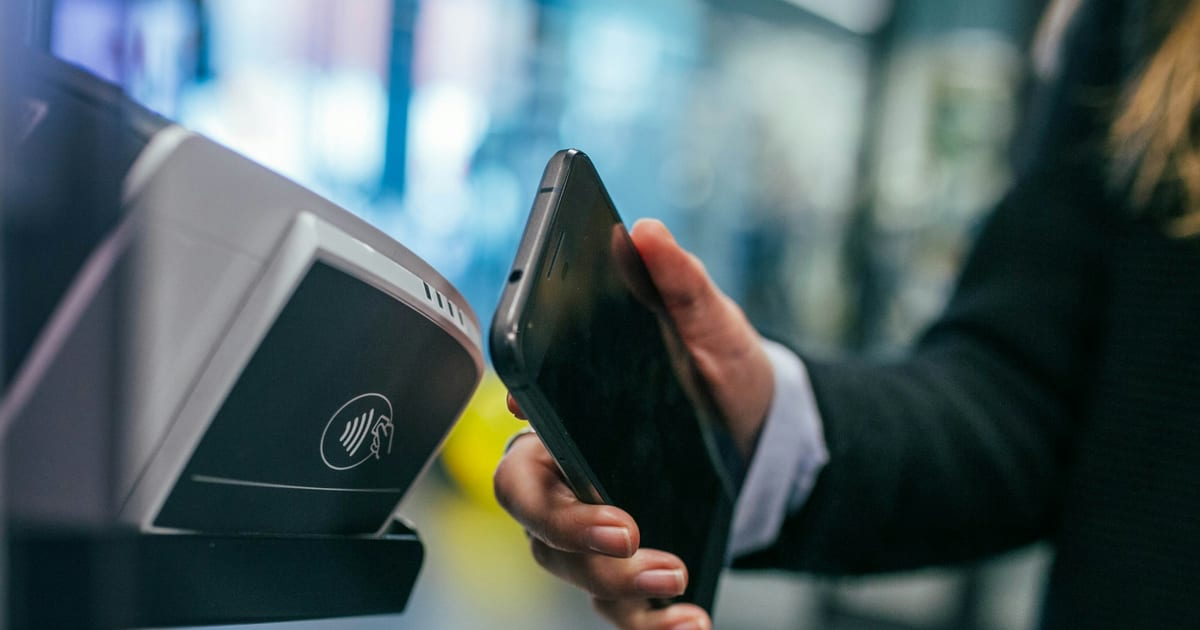
Every loyalty app eventually asks the customer to install something. That is the moment most of them die, and it dies quietly: the person says yes at the counter, walks out, and never opens the App Store.
Wallet passes skip the ask. Apple Wallet and Google Wallet are already on the phone, already trusted, and already the place people keep boarding passes and bank cards. Adding a card is a tap from a QR code, not a download, which is the main thing that separates a wallet pass from a loyalty app.
Key takeaways
- The install step is where most small-shop loyalty programs lose their members. A wallet pass removes it entirely: no app, no account, no password.
- A wallet pass is never lost, updates itself remotely, and can put a line on the lock screen. Only the third of those is really about loyalty.
- The pass is not a channel to shout into. Treating a notification budget as a send quota is the fastest way to lose the permission permanently.
- Nearly half of app installs are undone within 30 days (AppsFlyer, 2025 report, 2,200 apps). A wallet pass never asks for the install at all.
- You do not choose between Apple and Google. Issue to both and let the customer’s existing phone decide.
Why the install step kills programs
It is worth being precise about how this fails, because it does not look like failure at the counter.
The customer agrees. They are standing in front of you, they like the shop, and saying yes costs them nothing. Then they leave, and the thing you asked for competes with everything else on their phone. Opening an app store, searching, waiting for a download, creating an account, confirming an email: each step sheds people, and the whole sequence happens somewhere you cannot see it.
By the time they next visit, the intention has gone. Nobody tells you they did not install it. Your signup count says the program is working and your active member count says otherwise.
The scale of that leak is documented. AppsFlyer, tracking 2,200 apps, put the 30-day uninstall rate for apps installed during 2024 at 46.1%, barely moved from 46.9% the year before.
That figure counts uninstalls per install, not per app, and the sample skews toward apps with real advertising budgets behind them. That makes it a generous comparison rather than a harsh one: a café’s app is not competing on equal terms. Ofcom puts the average UK adult at 41 apps used per month, and your shop is not getting one of those places.
The wallet route collapses that sequence into one screen. Scan, tap Add, done, while still standing at the till. Whatever else is true about wallet passes, this is the part that matters most: the customer finishes the process before they leave the shop.
What that actually buys you
Three things, and only the third is about loyalty at all.
- The card is never lost. A paper card lives in a coat pocket until March.
- It updates itself. Stamps change on the card the customer already has, so there is no “bring it back in and we’ll transfer it”.
- It has a lock screen. This is the one that matters, and it is the one paper can never do.
The first two are conveniences. They reduce friction and they stop the awkward counter conversation about a card somebody has left at home, but they do not change what your business can do.
The third one does. A paper card has no idea who is holding it. It cannot tell you that someone is one stamp from a reward, and it certainly cannot say anything to them on a Tuesday afternoon when the shop is empty. A wallet pass sits on a device the customer unlocks dozens of times a day, and it can put a single line in front of them at a moment you choose.
That is the difference between a card that records visits and a card that causes them.
Loyalty app or wallet pass: what the choice actually comes down to
A loyalty app is not a worse idea on paper. It can hold more screens, show a fuller history, and run whatever flow a developer wants to build. The catch is that none of that matters if the app sits on the home screen unopened.
Many of the loyalty apps a small business can buy work the same way: a shared consumer app with the merchant’s card inside it, built so one codebase serves many businesses at once. That keeps the cost down, but it also means the customer’s lock screen shows the app’s icon, not the shop’s. The business owns a listing inside someone else’s product, not a presence on the customer’s phone.
A wallet pass flips that. There is no app to open because there is nothing to open: the card lives where boarding passes and bank cards already live, and it updates itself without the customer doing anything.
| Loyalty app | Wallet pass | |
|---|---|---|
| Gets installed | Only if the customer finishes an app-store install | Added from a QR code in one tap |
| Who the customer sees | The app’s brand, with the shop’s card inside it | The shop’s own card, on the lock screen |
| How it reaches the customer | Push through the app, if the app is still installed | Push through Apple Wallet or Google Wallet directly |
| What else it needs | An account, sometimes a password | Nothing beyond the pass itself |
| Channels beyond push | Usually none, or in-app offers nobody opens the app to see | None built in either, which is why the pass is one channel among push, email and SMS, not the whole relationship |
The gap is not a feature gap. A loyalty app can list more rewards on more screens than a wallet pass ever will. The gap is that a customer who never reopens the app never sees any of it, while a wallet pass sits somewhere they already look several times a day.
What you do not have to build
Worth knowing only because it explains why this is cheaper than it sounds.
Both platforms require signing certificates, a pass structure and a server that can push updates to a device. Neither works like an SMS box you type into. Apple’s update push carries no message at all, and the notification text comes from a field on the card changing. Google does take an authored message, but renders it its own way and caps notifying sends per customer per day.
None of that is work you should be doing. It matters in exactly one way. It is why “just build an app” and “issue a wallet pass” are not the same size of project, and why the second is available to a shop with no developer.
The differences between the two platforms are real but small, and they are laid out in Apple Wallet vs Google Wallet. The short version is that you should issue to both and never ask a customer which they prefer. They already chose, when they bought the phone.
The part people get wrong
A wallet pass is not a marketing channel you get to shout into. It is closer to a boarding pass: the customer trusts it because it is quiet and useful, and the fastest way to lose that is to treat a notification budget as a send quota.
The right mental model is that the pass earns you one good interruption a fortnight. Spend it on something the customer would thank you for (the card is nearly full, the shop is quiet and there is a reason to come in) and it keeps earning. Spend it on “we’re still here!” and the pass gets deleted, along with every future message you might have sent.
The asymmetry is what makes this worth taking seriously. A good message earns you one visit. A bad one can cost you every message you would have sent after it. Someone can technically re-add a pass from the same join link, but in practice a customer who deleted yours has told you something, and few of them go looking for the code again.
So the useful discipline is not a frequency rule. It is a test applied to each send: would this customer be glad this arrived? If the honest answer is no, the message is costing you more than it makes. Writing a message people do not delete covers what passes that test.
What the pass is really for
The card is the entry point rather than the product.
Somebody joining gives you two things you did not have: a way to recognize them when they come back, and permission to say something between visits. The stamps are the reason they agreed. What you do with the recognition and the permission afterwards is where nearly all of the value sits.
Loyalty gives you the relationship. Communication keeps it alive. A shop that understands that runs a card because it wants to reach people, not because it wants to give away a tenth coffee.
Frequently asked questions
Does the customer need Apple Pay or Google Pay set up? No. Wallet passes and payment cards are separate parts of the same app. Somebody who has never added a bank card can still hold a loyalty pass.
What happens if they get a new phone? The pass restores with their account backup on both platforms. This is a practical advantage over both paper and over a small shop’s own app, where a new phone usually means the customer is gone.
Can I still run a paper card alongside it? You can, and some shops do during a transition. It costs you the thing that makes the digital card worth having, though, because the paper holders are exactly the people you cannot message.
Do customers actually keep these? They keep the ones that stay useful. A pass with visible progress toward something they want, and infrequent messages worth reading, tends to survive. A pass that sends promotional notifications does not.
Isn’t a loyalty app the same thing with extra features? Not quite. A loyalty app needs the install step a wallet pass skips. Many of the loyalty apps sold to small businesses also put the merchant’s card inside a shared app used by many businesses, so the customer’s phone shows the app’s brand rather than the shop’s. The extra screens only help if the customer reopens the app, and most do not.
Is a wallet pass enough on its own? It is enough to start, and it is the right first step. Push reaches every member with no extra details, but email and SMS need an address or a number, so they depend on what your join form asks for. What to put next to the till covers that trade-off.
Where to go next
Once the card is on the phone, the decisions are what it rewards and how long it runs. What a stamp card is actually for covers the economics and how many stamps a card should have covers the length. Getting people onto it in the first place is what to put next to the till. The full sequence is in the complete guide.
Issuing one card to both wallets, without touching either platform’s API, is what Passumo does.
Sources: AppsFlyer, App Uninstall Benchmarks Report, 2025 edition. The 46.1% is AppsFlyer’s reported 30-day uninstall rate for 2024 installs; the underlying dataset spans 2,200 apps, 1.3 billion installs and 402 million uninstalls between January 2023 and November 2024, so the raw totals cover a wider window than the 30-day rate. The sample covers apps using AppsFlyer’s attribution SDK, so it over-represents apps with paid acquisition. Ofcom, Online Nation 2025, published 10 December 2025. Apple, Wallet loyalty passes and Register a pass for update notifications. Google Wallet, Trigger push notifications.